# 2. Proxmox Notifications
# 1. SMTP Email Notifications
The first notification system we will setup for Proxmox is by simply using SMTP Email. It is assumed that you already have an email setup somewhere with access to the SMTP credentials. The first thing we will do is setup an email **Notification Target**
1\. Open up your PVE dashboard and go to Dashboard > Notifications > +Add > Select SMTP
2\. Then give it a name i.e the name of your email provider
3\. Check which Email SMTP settings your provider uses. As an example if you have an email with porkbun then you can find their [Email configuration](https://kb.porkbun.com/article/146-email-client-configuration-settings) online. This should be the same for other providers.
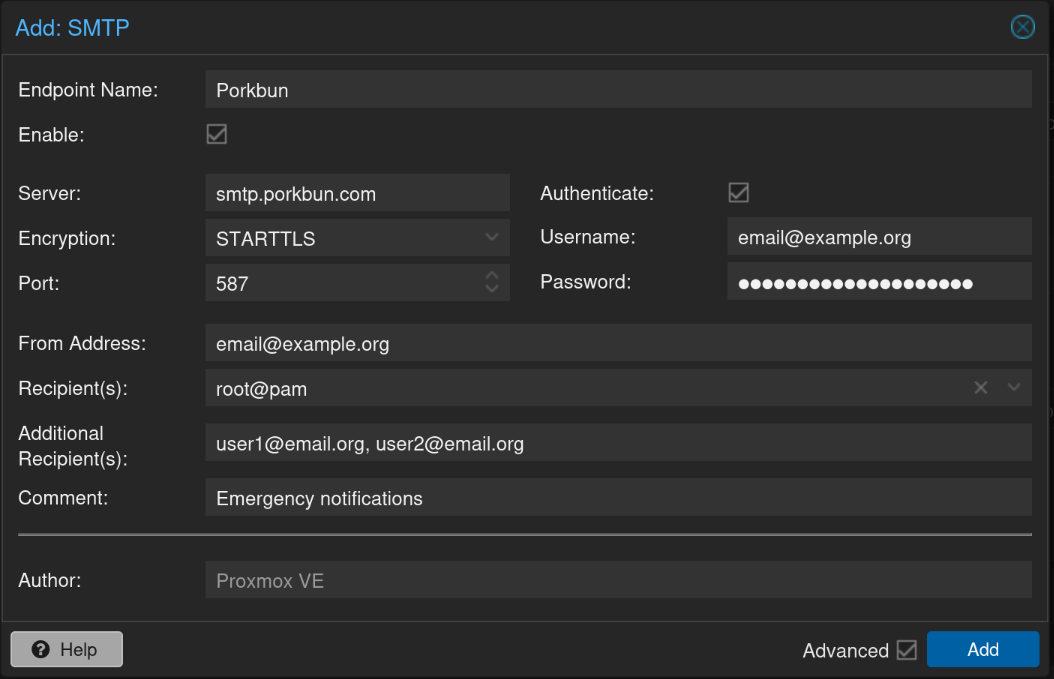
4\. With that information fill in the SMTP settings accordingly
5\. Fill in your username i.e email address and password
6\. Then select your recipient(s) which are all users with an account on your proxmox instance
7\. Finally, you can also choose to have Additional Recipients that don't have an account on your instance.
8\. If all good then it should look something like this
[](https://docs.rfeyn.org/uploads/images/gallery/2026-07/scaled-1680-/fVLobJouVj0X1kLC-screenshot-from-2026-07-02-19-59-31-png.png)
9\. Sweet now what you will do is send yourself a Test notification to check if it actually works
10\. You can do this by simply selecting your newly created SMTP entry and select "Test"
11\. Now, what is next is that we need to make sure it is activated at
# 2. NTFY Proxmox Notifications
It is assumed that you have already configured NTFY on your server and if you have not you can find the installation instruction here.
# 3. Proxmox Repository Update Notifications
Just as with applications the proxmox virtualization software itself also needs to be updated every now and then. Hence, we would like to have a similar updating system as we have for containers using Dockhand. In that way we will receive a notification if any updates of the hypervisor are available.
Now, according to a [blog post](https://majornetwork.net/2026/04/proxmox-ve-update-notifications-in-the-lab/) I found on the internet it seems to be pretty simple. You basically open up your shell and paste in the following command
```bash
pvesh set /cluster/options --notify package-updates=always
```
Then you can check if it is properly set up with
```bash
root@pve1:~# pvesh get /cluster/options --noborder | grep notify
notify {"package-updates":"always"}
root@pve1:~#
```
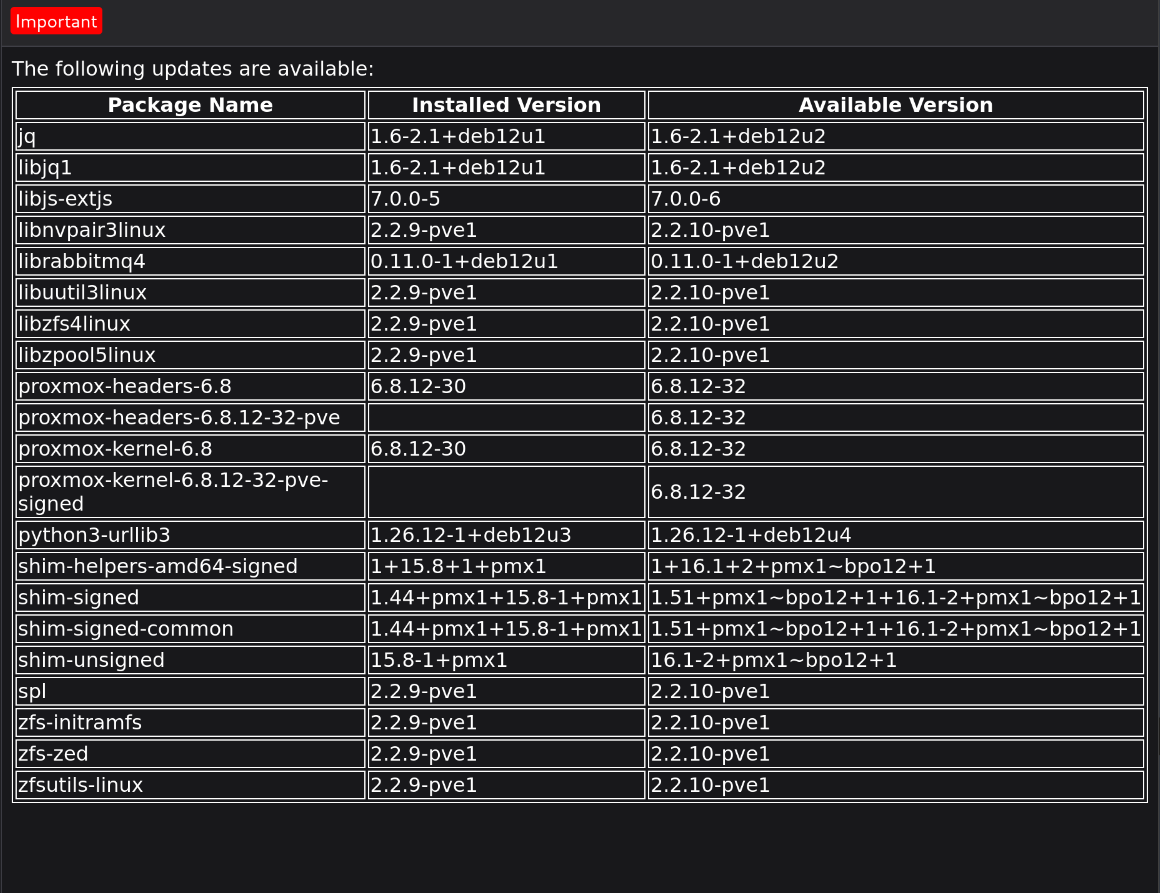
If these are the results then notifications will be send to your email or NTFY if you have a set that up. An example email looks something like this
[](https://docs.rfeyn.org/uploads/images/gallery/2026-07/scaled-1680-/gzFHy7iAekcBeGZ0-screenshot-from-2026-07-03-13-18-21-png.png)
Then simply go to your Proxmox instance, go to your PVE > Shell and use the following command to update your packages
```bash
pveupgrade
```