
1. Installation
Source: Website/Demo
After the installation you will receive a message in the CLI that looks something like this
◇  Add these DNS records ──────────────────────────────────────────────────────────────────────╮
│                                                                                              │
│  A    eigen.example.org             your server's IP address                                   │
│  A    autoconfig.example.org        your server's IP address (optional)                        │
│  MX   rfeyn.org                   10 eigen.example.org.                                        │
│  TXT  rfeyn.org                   "v=spf1 mx ~all"                                           │
│  TXT  eigen._domainkey.example.org  the DKIM key from the postfix log after the first start    │
│  TXT  _dmarc.example.org            "v=DMARC1; p=quarantine; rua=mailto:[email protected]"  │
│  SRV  _imaps._tcp.example.org       0 1 993 eigen.example.org.                                   │
│  SRV  _submission._tcp.example.org  0 1 587 eigen.example.org.                                   │
│  SRV  _caldavs._tcp.example.org     0 1 443 eigen.example.org.                                   │
│  SRV  _carddavs._tcp.example.org    0 1 443 eigen.example.org.                                   │
│  TXT  _caldavs._tcp.example.org     "path=/dav/"                                               │
│  TXT  _carddavs._tcp.example.org    "path=/dav/"                                               │
│  PTR  your server's IP address    eigen.example.org, set at your hosting provider              │
│                                                                                              │
├──────────────────────────────────────────────────────────────────────────────────────────────╯
│
└  Configuration saved.

◇  Data folders ready
◇  Eigen is running
│
◆  Finish the setup in your browser. Open this link:
│  https://eigen.example.org/admin/#setup=OIbDyQsdfdfMB4ZsdLQKhoassOohJX2zI8coA
│
│  It asks for the name of your organization, the sender of Eigen's own mail, where to keep files, and your admin account.
│  The link works once. Lost it? Run ./eigen setup again for a fresh one.
│
└  Then sign in at https://eigen.example.org/admin to add your people.
Amazing, so now you know exactly which records you need to fill in inside your domain registrar. If you already opened up your ports in your Firewall then it is simply copy paste this and you should be ready to go.
3. Now, the first time you setup Eigen you need to create an organization name and an admin account. You can do this by opening up your web browser and go to https://eigen.example.org/admin/#setup=OIbDyQsdfdfMB4ZsdLQKhoassOohJX2zI8coA as provided in your CLI after the setup. Then you should land at a screen that looks something like this
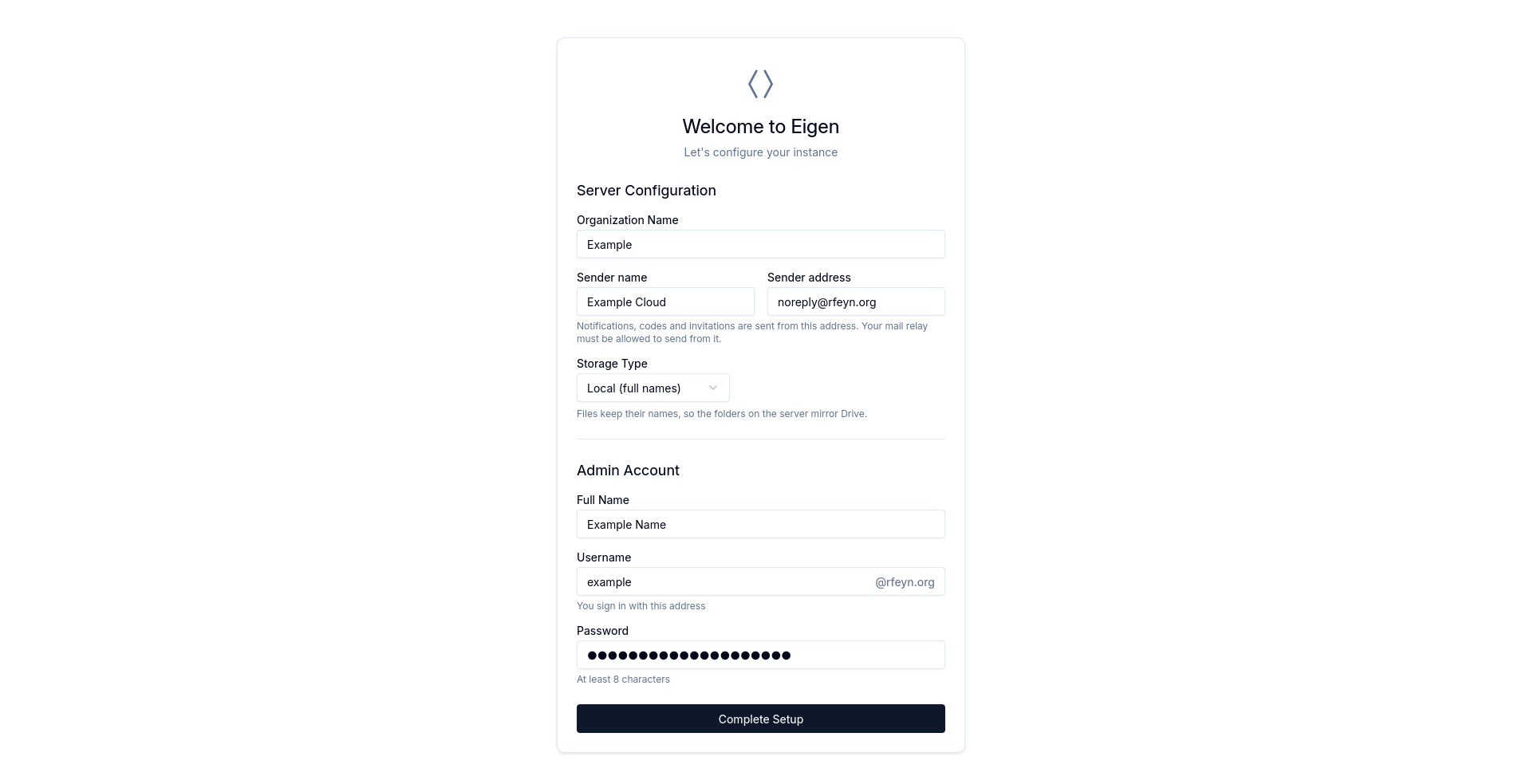
4. So fill in your preferred credentials and hit Complete Setup
5.