
2. Peer Generator
Okey now you have setup your Wireguard Instance. Then now it is time to create a peer that can connect to the created instance. OPNSense makes this extremely simple.
1. Just go to VPN > Wireguard > Peer Generator
2. Endpoint: This is the public IP address of your network. In the case of a static Subnet you can choose any of the IPv4 addresses in your subnet. However, if you have not configured all of them yet then I would recommend to use the first IP address hat defines your subnet. Finally, you make sure the Endpoint includes the listening port defined in your WIreguard Instance.
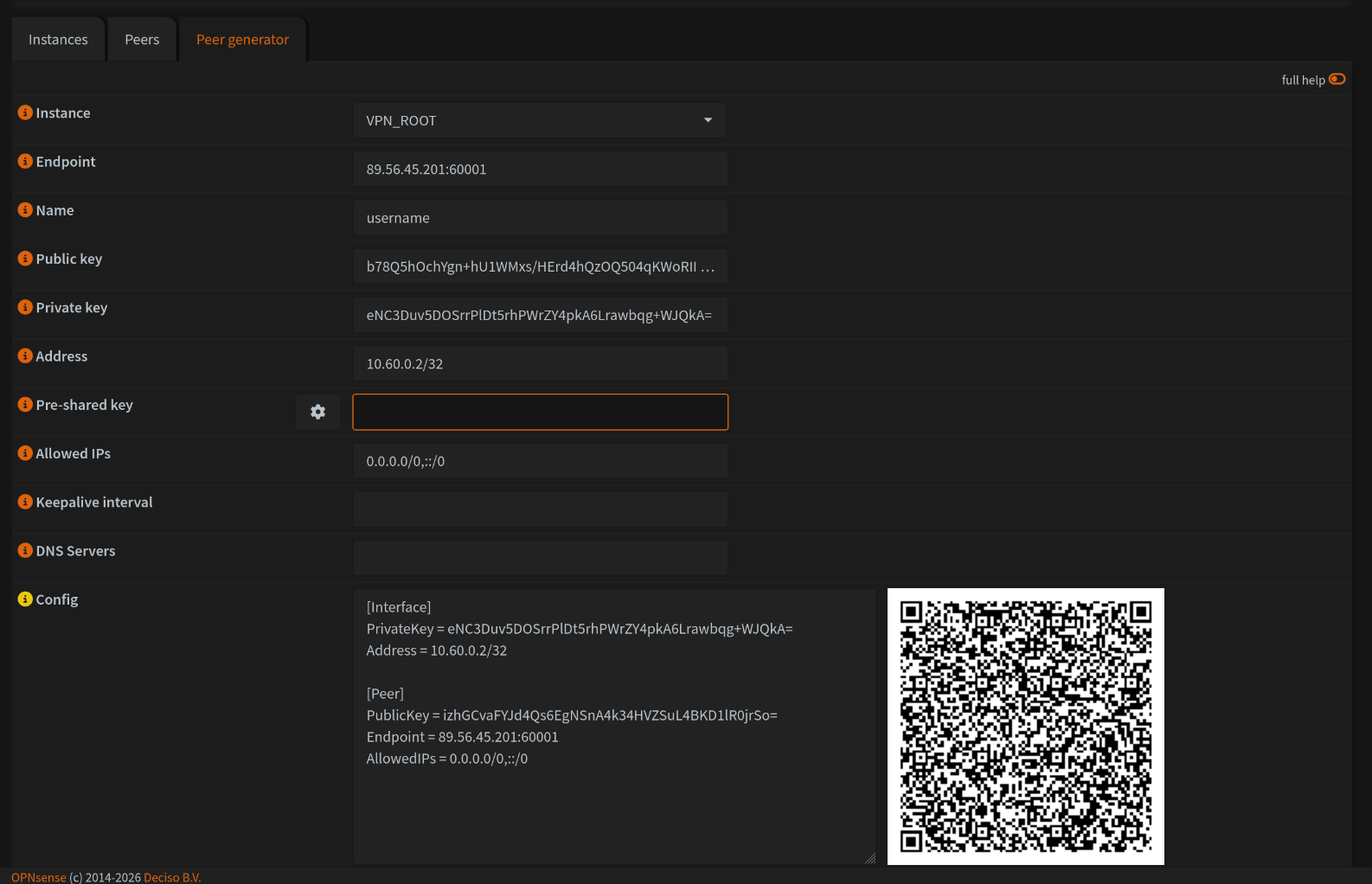
3. Now, what I would recommend if everything is correct before saving is to make a screenshot of the QR code s.t you can easily use it with the Wireguard app on your phone for instance. Next, also copy the config file details into a text document and save it as name_location.conf. I specify here name_location s.t you can distinguish between multiple VPN's.
4. Perfect, if that is all done you can hit Save and your peer is saved !
5. Now, we are not done yet! Your instance and peer might be created but we still need to setup the VPN interface and configure the firewall rules to make this all work. This is what we will do in the next pages ;)
No comments to display
No comments to display