
1.6.1.2 Dockge Introduction
As we will see we can either be in the terminal all the time editing docker compose files for our applications or we can attach a GUI to it.
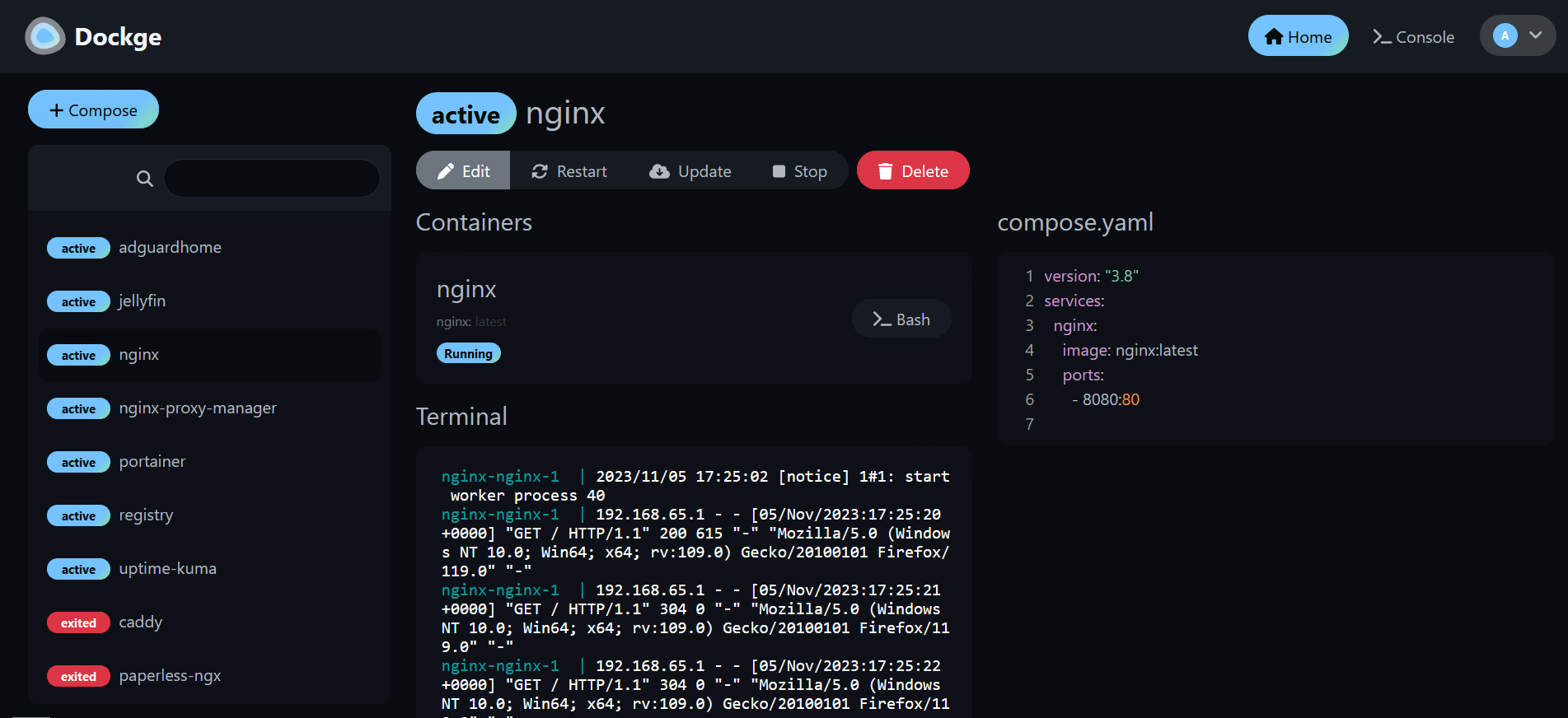
So yeahh that is basically what Dockge is including many other features such as
- 🧑💼 Manage your
compose.yamlfiles- Create/Edit/Start/Stop/Restart/Delete
- Update Docker Images
- ⌨️ Interactive Editor for
compose.yaml - 🦦 Interactive Web Terminal
- 🕷️ (1.4.0 🆕) Multiple agents support - You can manage multiple stacks from different Docker hosts in one single interface
- 🏪 Convert
docker run ...commands intocompose.yaml - 📙 File based structure - Dockge won't kidnap your compose files, they are stored on your drive as usual. You can interact with them using normal
docker composecommands - 🚄 Reactive - Everything is just responsive. Progress (Pull/Up/Down) and terminal output are in real-time
- 🐣 Easy-to-use & fancy UI - If you love Uptime Kuma's UI/UX, you will love this one too
So in this Book we will also make sure to use Dockge for all our installations. It is for sure not necessary but it is so easy and comfortable. In the next page we will do the installation.
No comments to display
No comments to display